Local tables
Load selected source columns into managed Parquet and use the copy for queries that can tolerate scheduled freshness.
On this page
Load and publish a copy
- As an administrator, save the source configuration in a model draft, then open Local Tables (本地表).
- Choose the source table and the columns needed by the model, including keys and endpoints. Create and load the copy.
- When the run succeeds, add the copy to model sources. Point the mapping to
local_<name>.data, validate the draft, and publish it.
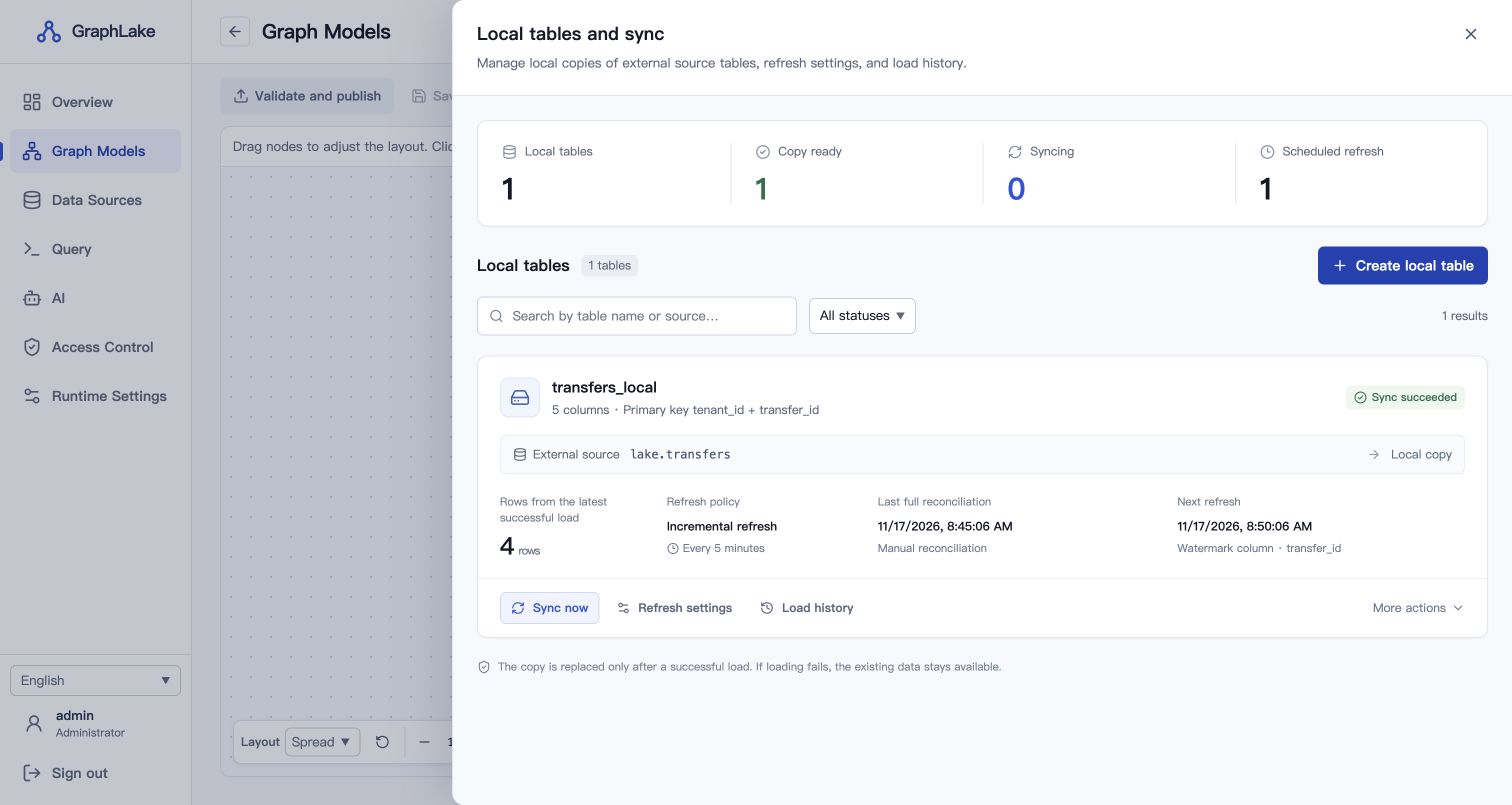
Choose a refresh strategy
- Full refresh
- Read the selected fields again and publish a new snapshot. Use this to reflect physical deletes and changes to keys.
- Incremental refresh
- Set a stable, unique, non-null key and an integer, date, or timestamp watermark. Advance the watermark on every insert and update. GraphLake rereads the watermark boundary and replaces rows by key.
- Scheduled refresh
- Schedule either mode, then check the last successful run and next run time. The first load is full.
Freshness Incremental refresh reads by watermark. Reconcile deletes and late rows below the committed watermark with a full refresh.
Maintain the snapshot
A failed load before publication leaves the prior committed copy available. Back up the entire catalog, including .graphlake-local/. Workers reading local copies need access at the same absolute path. See the local tables reference for recovery, storage, and concurrency limits.
Use shared managed snapshots in HA
In a cluster with Coordinator failover, enable managed local tables in the shared cluster configuration. The Coordinators and Workers use the same etcd namespace and S3-compatible storage prefix. This lets Workers read managed snapshots from object storage.
managed_local_tables: true
local_snapshot_retention_seconds: 86400
local_snapshot_gc_grace_seconds: 300
Create and load a new managed table, then switch the model to the local-table://<table UUID> reference and publish. Existing mappings can keep reading their file-backed copies during the transition. GraphLake reclaims eligible old generations and retains snapshots held by active queries or backups. Apply bucket lifecycle rules to incomplete uploads and noncurrent object versions. Keep live object retention under GraphLake's control.